Today I completed Chapter 4 of the NextJS tutorial. However, I was in the mood of learning by doing some freeform experimenting. So, before starting the tutorial, I decided to write some nested routing on my own, in the attempt to break things (spoiler alert: it didn’t take long for me to break things!).
I started by creaing a simple about page copying and pasting the layout from the index page.
/app/about/page.tsx
export default function About() {
    function getDate() {
        return new Date().toLocaleDateString();
    }
    return (
        <>
            <h1>Welcome! Today is { getDate() }</h1>
            <h2>Here are some links to get you started:</h2>
        </>
    )
}
/app/about/layout.tsx
import '@/app/ui/global.css';
import { lusitana } from '@/app/ui/fonts';


export default function RootLayout({
    children,
}: {
    children: React.ReactNode;
}) {
    return (
        <html lang="en">
            <body
                className={`${lusitana.className} antialiased`}
            >
                {children}
            </body>
        </html>
    );
}
The error here is Prop className did not match. Server: "__className_e66fe9 antialiased" Client: "__className_712214 antialiased
On a first rendering of the page sometimes visualized the font correctly. But then this error is thrown:
Warning: Prop className did not match. Server: "__className_e66fe9 antialiased" Client: "__className_712214 antialiased "
Perhaps changing the function name to match it with the node name would help?
import '@/app/ui/global.css';
import { lusitana } from '@/app/ui/fonts';


export default function AboutLayout({
    children,
}: {
    children: React.ReactNode;
}) {
    return (
        <html lang="en">
            <body
                className={`${lusitana.className} antialiased `}
            >
                {children}
            </body>
        </html>
    );
}
Nope, same issue:
Warning: Prop className did not match. Server: "__className_e66fe9 antialiased" Client: "__className_712214 antialiased "
I tried to export just the <h1> tag to see if that would solve the problem. While the font renders correctly, now we have a hydration problem.
import '@/app/ui/global.css';
import { lusitana } from '@/app/ui/fonts';


export default function AboutLayout({
    children,
}: {
    children: React.ReactNode;
}) {
    return (

        <>
            <h1 className={`${lusitana.className} antialiased `}>
                {children}
            </h1>
        </>

    );
}
Hydration failed because the initial UI does not match what was rendered on the server. Warning: Expected server HTML to contain a matching <h1> in <h1>. See more info here: https://nextjs.org/docs/messages/react-hydration-error
Since the original page contained a <h2> element, I thought that perhaps removing it would help avoiding this issue. However, even without the <h2> element, the same error persists.
In the end, I tried to fix the error by wrapping the text in a <div> element instead of a <h1> one. This time, the page rendered without a problem.
/app/about/page.tsx
import '@/app/ui/global.css';
import { lusitana } from '@/app/ui/fonts';


export default function AboutLayout({
    children,
}: {
    children: React.ReactNode;
}) {
    return (
        <>
            <div className={`${lusitana.className} antialiased `}>
                {children}
            </div>
            {/* No errors */}
        </>
    );
}
/app/about/layout.tsx
export default function About() {
    function getDate() {
        return new Date().toLocaleDateString();
    }
    return (
        <>
            <div>
                Welcome! Today is {getDate()}
            </div>
            {/* No errors */}
        </>
    )
}
The problem was clearly about how HTML tag nesting is handled here. Enough hands-on experimenting: time to do some learning through the tutorial!
Here’s a quick rundown of Chapter 4 of the NextJS tutorial. Each subfolder and its page.tsx file constitute a URL path on the app (which in NextJS jargon is called a route).[^10]
For example:
/app/about/page.tsx --> domain.com/about/
The default function of each page.tsx can be technically named anything really, not necessarily the name of the folder node. For example, in an /app/about/page.tsx we can have:
export default function About() {
// works
}
export default function Page() {
// also works
}I’m wondering if there is a naming convention for exported default functions (other than just being clearly named, of course!)
You can also include a layout.tsx to help in creating the UI of the page.
/app/about/layout.tsx --> domain.com/about/
/app/about/page.tsx --> domain.com/about/
/app/about/page.tsx and /app/about/page.tsx are rendered as https://domain.com/about/.
However, the real power and purpose of layout.tsx is that it applies to all pages in the same node.
/app/about/layout.tsx --> domain.com/about/, domain.com/about/contacts
/app/about/page.tsx --> domain.com/about/
/app/about/contacts/page.tsx --> domain.com/about/contacts
/app/about/layout.tsx is rendered as https://domain.com/about/ and https://domain.com/about/contacts.
To summarize:
/app/about/page.tsx exports the React component/app/about/layout.tsx creates UI styles that are shared among different pages within the same route.Also, /app/layout.tsx is a mandatory part of any NextJS project, since it is shared by all pages in the project. That’s where you actually modify the <html> and <body> of the app.
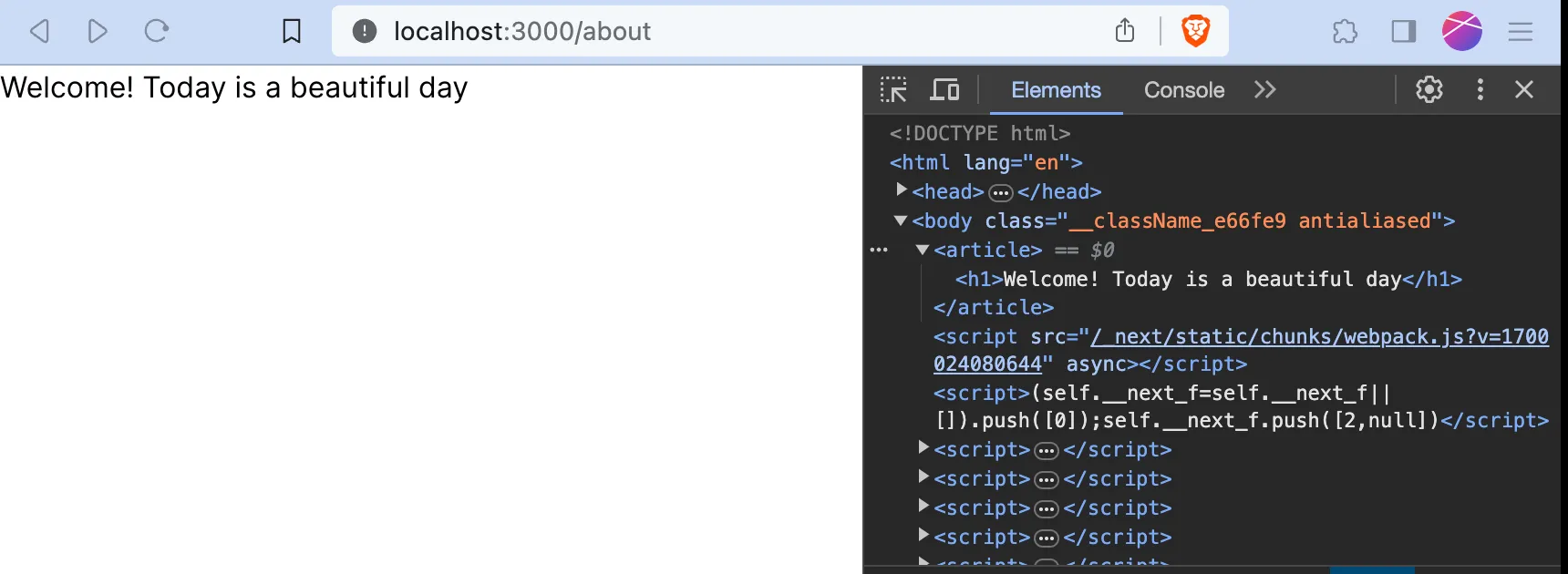
Going back to the experiment, I realize that in the tutorial project the about page is not rendering correctly because the <h1> tags are positioned inside other HTML elements. But if I wrap <h1>{children}</h1> inside of <article>, then things work fine
/app/about/page.tsx
export default function About() {
    function getDate() {
        return new Date().toLocaleDateString();
    }

    return (
        <>
            Welcome! Today is a beautiful day
            {/* No errors */}
        </>
    )
}
/app/about/layout.tsx
import '@/app/ui/global.css';
import { lusitana } from '@/app/ui/fonts';


export default function AboutLayout({
    children,
}: {
    children: React.ReactNode;
}) {
    return (
        <>
            <article>
                <h1>{children}</h1>
            </article>
            {/* No errors */}
        </>

    );
}
Result:
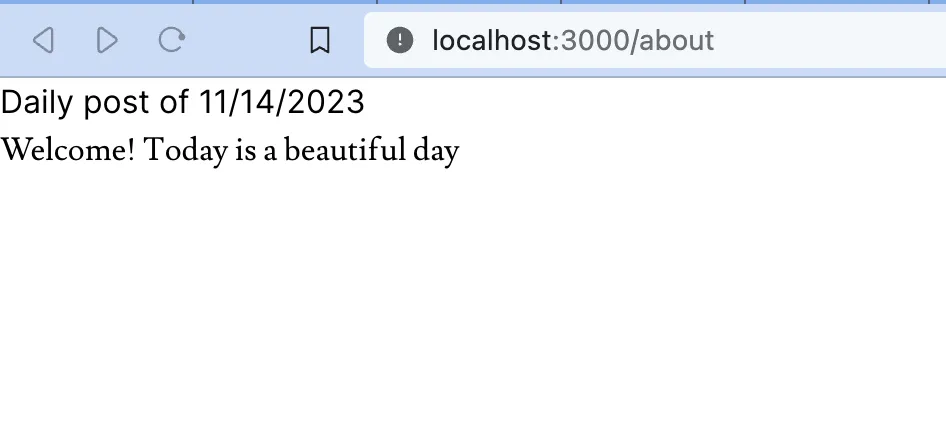
However, based on what I read in the tutorial, this would clearly a poor use of layout.tsx. Perhaps a more productive use of this tool would be to create a heading with a date that applies to all posts of the same route.
/app/about/layout.tsx
import '@/app/ui/global.css';
import { lusitana } from '@/app/ui/fonts';


export default function AboutLayout({
    children,
}: {
    children: React.ReactNode;
}) {
    function getDate() {
        return new Date().toLocaleDateString();
    }
    function GetTitle() {
        return (
            <h1>Daily post of { getDate() }</h1>
        );
    }
    return (
        <>
            <article>
                <GetTitle />
                <div className={`${lusitana.className} antialiased `}>
                    {children}
                </div>
            </article>
            {/* No errors */}
        </>
    );
}
/app/about/page.tsx
export default function About() {
    return (
        <>
            <article>
                <div>
                    Welcome! Today is a beautiful day
                </div>
            </article>
        </>
    )
}
Result:
Of course that is just a simple implementation of a layout, but I can’t wait to use it for more complex tasks!